
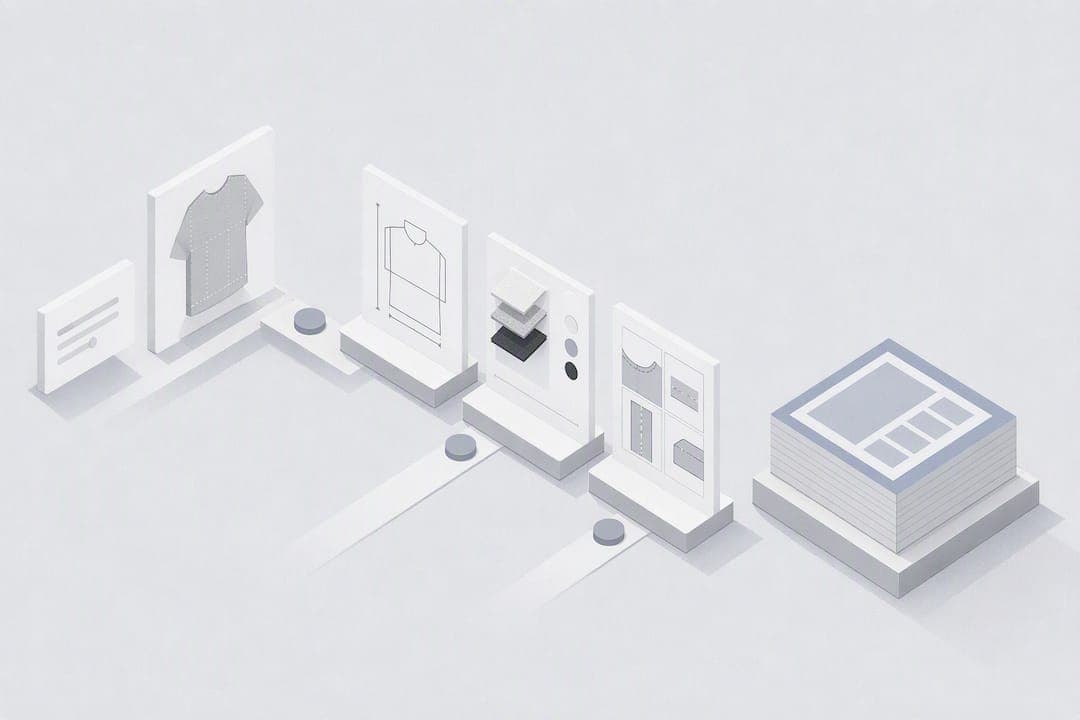
Yes, a single sentence or a reference image can produce a factory-ready tech pack draft in minutes using modern AI workflows. The catch is the word "draft": measurements, bill-of-materials detail, and tolerances still need a human check before the file goes anywhere near a factory. Try it on one sample style first, cross-check the three fields that matter most (point of measure, fabric composition, and grading), and treat everything else as a strong first pass built on conventions like ASTM D5219 and the component list in Shopify's tech pack guide.
TL;DR:
- AI-generated tech packs can be created in under 12 minutes, but thorough verification against real samples and precise measurements is essential before production.
- The bill of materials must include detailed fabric, hardware, and thread specifications, with explicit tolerances and grade rules to prevent factory misunderstandings.
- Generating accurate measurements and construction details requires initial reference photos, clear prompts, and careful checking of outputs to avoid costly errors.
- Following standardized industry conventions, such as ASTM measurement points and documentation formats, improves communication and reduces factory questions.
- AI tools like WOVA are best suited for quick revisions, small runs, or sample development, but are less appropriate for first-time construction methods or large-volume manufacturing.
Table of Contents
- How AI turns a sentence or photo into tech-pack sections
- What must be in a factory-ready tech pack before you send it
- The 12-minute path from sentence to draft tech pack
- Where AI tech packs go wrong and how to fix them fast
- Standards and guidance behind a reliable tech pack
- When speed helps and when it doesn't
- Try WOVA for your next sentence to tech pack draft
- Sources
- FAQ
How AI turns a sentence or photo into tech-pack sections
A tech pack, for anyone new to the term, is the technical document a factory uses to cut and sew a garment correctly: flats, measurements, materials, and construction notes in one file. AI generation platforms, including WOVA, take a short description or an image and split it into those sections automatically, but each input type carries different strengths.
A sentence is good at intent. Write "cropped denim jacket, oversized fit, corozo buttons, raw hem" and the system can infer silhouette, closures, and finishing cues fairly reliably. What it cannot infer is exact measurement, so anything you don't specify gets filled with a plausible default, not a fact. An image works the other way round: it shows proportion, seam placement, and stitching detail that words struggle to describe, but it says nothing about fabric weight, thread type, or hardware finish unless you add that in text alongside it.
Behind the scenes, the pipeline runs in stages. Language parsing extracts garment type, silhouette, and construction keywords from your prompt. A design inference step matches those keywords against pattern logic to decide seam lines and panel counts. Flat and sketch generation renders the technical drawing, following documentation conventions close to those set out in ASTM D6193. A bill of materials gets populated from recognised fabric and trim categories, and finally the whole set exports into a structured spec sheet.
Fields the AI commonly guesses, and that you must check before trusting the output:
- Exact body measurements and finished garment dimensions
- Tolerance ranges for each point of measure
- Thread weight, fibre content, and hardware finish
- Seam finishing method and stitches per inch
- Grading increments across the size run
Generation speed depends heavily on how much detail you ask for. Vendor data on AI tech-pack tools shows draft generation times ranging from a few minutes up to around eight, and the trend is downward as models tune for quality and speed together, with some tools improving from roughly seven minutes to closer to three. Higher quality settings that produce cleaner vector flats and denser BOM entries take longer to render than a rough visual concept. If you're testing the workflow for the first time, expect the first pass to land somewhere in that window, not instantly.
What must be in a factory-ready tech pack before you send it
A tech pack earns the label "factory-ready" only when a manufacturer can quote, pattern, and sample from it without asking clarifying questions first. According to Shopify's breakdown of the document's core components, a complete pack functions as the single source of truth for the entire production run, which means every section below needs to be present, not just started.
- Technical flats and detail views. Front and back flats plus zoomed callouts on stitching, pockets, or trims, ideally in vector format so factories can scale them without pixelation.
- Bill of materials. Full material descriptions, supplier placeholders, trim specifications, thread weight, and hardware finish, not just "cotton" and "zipper".
- Point-of-measure table. Every measurement point named consistently, a base size, and a tolerance range for each, following naming conventions close to ASTM D5219.
- Grade rules. The increments applied per size jump, so the factory doesn't invent its own grading logic.
- Construction notes. Seam types, stitches per inch, seam allowances, and artwork or print placement instructions.
- Labels and packaging. Care label content, size label placement, hang tag position, and any polybag or carton specification.
- Revision log. Version number, date, and a short note on what changed since the last file, so nobody samples from an outdated draft.
Skipping the bill of materials granularity is one of the most common ways a project stalls. Missing thread weight, fibre content, or a specific hardware finish routinely sends a tech pack back for clarification, according to Netsuite's guidance on BOM composition for apparel production. A one-line placeholder like "black trim" tells a sourcing manager nothing about finish, weight, or supplier match.
Pro Tip: Treat your point-of-measure table as the one section you never leave to AI defaults. Measure your own sample garment or a well-fitting reference piece first, then feed those numbers into the prompt rather than accepting whatever the system estimates.
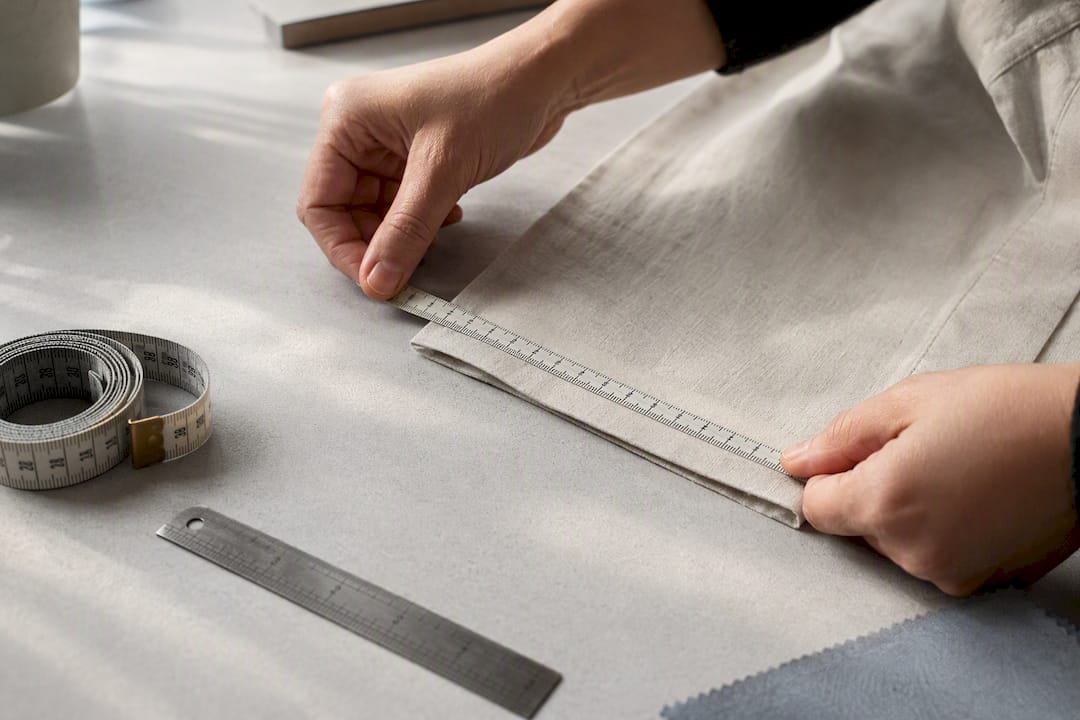
Tolerances and grade rules deserve particular attention because omitting them doesn't leave a blank field, it invites the factory to apply its own house standard instead. That standard might differ wildly from what you expect, especially across different manufacturing regions, so explicit numbers in your pack remove that guesswork entirely.
The 12-minute path from sentence to draft tech pack
This is the timed version of the workflow, built for a single style rather than a full collection. Run through it once and you'll have a feel for where the real time goes.
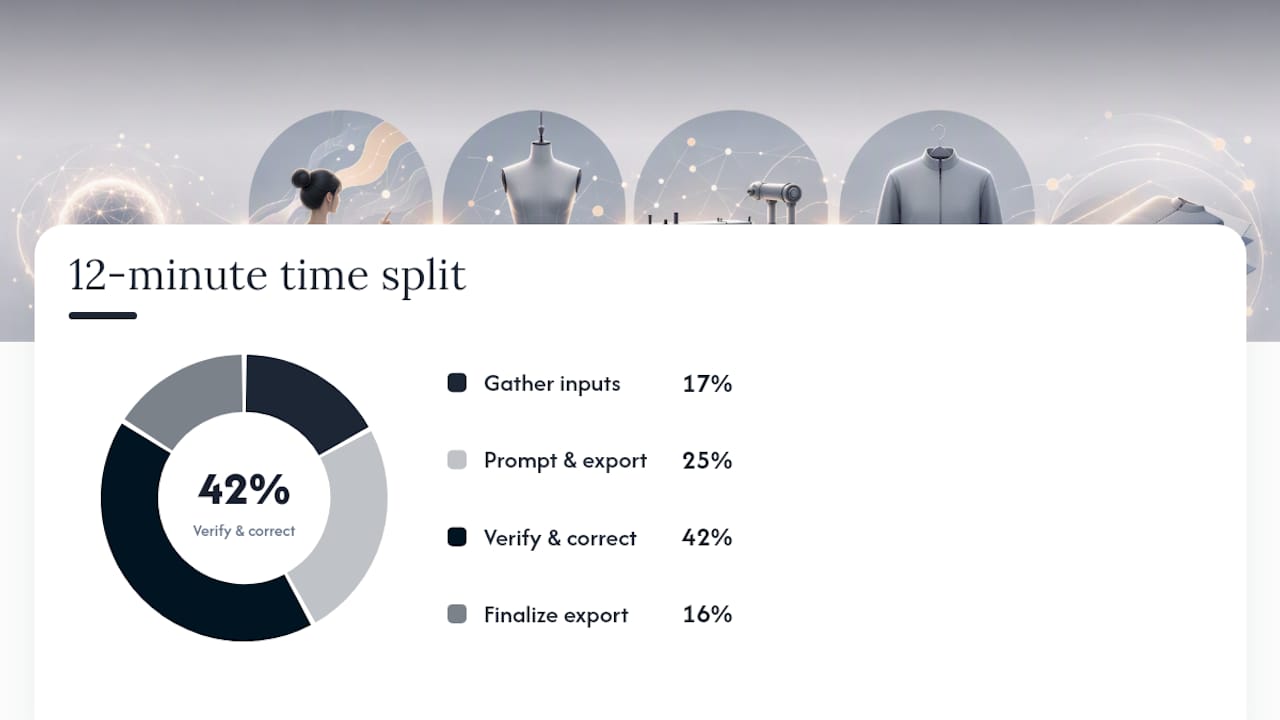
- Minutes 0 to 2: gather your inputs. Pull reference photos (front, back, and any detail shots), note rough measurements if you have a sample or fit reference, and decide your base size before you touch the software. Skipping this step is the single biggest cause of a messy first draft.
- Minutes 2 to 5: write the prompt or annotate the image. Be specific about silhouette, fabric type, closures, and finishing. A sentence like "relaxed fit shirt, oversized collar, mother of pearl buttons, French seams" gives the system far more to work with than "casual shirt." Run generation and export the initial flats and BOM draft.
- Minutes 5 to 10: verify and correct. Check every measurement against your reference, add explicit tolerances to the point-of-measure table, confirm the BOM lists specific thread weight and hardware finish rather than generic terms, and read the construction notes for anything that contradicts your actual design intent. This is where you catch AI hallucinations before they reach a factory.
- Minutes 10 to 12: finalise the export. Save both a PDF for visual review and an Excel or spreadsheet version for the factory's own systems, then attach a short revision note explaining what's new or what still needs confirmation.
Pro Tip: Keep a template prompt saved for your most common garment categories. Swapping in new fabric, colour, and trim details into a proven sentence structure is far faster than writing each prompt from scratch, and it produces more consistent output across a range.
Twelve minutes is realistic for a single style once you've done it a few times. The honest expectation is that your first attempt will take longer while you learn what level of detail the prompt needs, and that complex garments with multiple closures or layered construction will push past the ten-minute verification mark regardless of how fast the generation itself runs. Design-tool integrations, such as the AI tech-pack plugin listed on Adobe Exchange, can shave a few minutes off the export step if your workflow already runs through Illustrator or a similar tool, but they don't replace the verification stage.
Where AI tech packs go wrong and how to fix them fast
The single most reliable habit that prevents sample rework is physical comparison: check every generated flat against an actual sample garment, not just the reference photo you uploaded. Shadows and folds in a photograph create false seam lines that AI regularly misreads as design details, so a flat can look convincingly wrong.
A short troubleshooting list worth running before every export:
- Compare flats to a physical sample, checking seam lines against real construction, not photographed shadow
- Confirm the BOM states exact thread weight, fibre content, zipper size and type, and metal hardware finish rather than generic labels
- Make tolerances and grade rules explicit for every point of measure, since factories will substitute their own house rules for anything left blank
- Reread your original prompt for vague wording, terms like "nice trim" or "standard fit" invite the AI to guess
- Version every revision clearly, using something like "v2, corrected sleeve length" rather than overwriting the original file
Pro Tip: When requesting a revision, name the exact field and the exact change: "update sleeve point of measure to 24.5 inches, tolerance ±0.25 inch" beats "make the sleeves a bit longer" every time, for both AI regeneration and a human pattern maker.
Standards and guidance behind a reliable tech pack
None of this workflow is invented from scratch. It leans on documentation conventions that the apparel industry has used for decades, which is exactly why AI-generated packs work best when they follow the same rules rather than reinventing terminology.
- ASTM D5219 standardises the vocabulary and naming for garment measurement points, so a "chest width" on your file means the same thing to a factory in a different country.
- ASTM D6193 covers conventions for technical drawings and documentation, the same visual language flats and detail views should follow.
- Shopify's tech pack guide and Netsuite's BOM resource both frame the document as the production team's single source of truth, which only holds if every section is complete.
- Factory-side systems, including textile ERP platforms covered by DatamonPlus's overview of production and quality processes, depend on structured documentation to reduce the manual back-and-forth that a vague tech pack creates.
WOVA builds its own generation logic around these same conventions, mapping AI output to recognised naming and measurement structures rather than freeform labels, precisely because a tech pack that doesn't speak the factory's language ends up back in your inbox with questions.
When speed helps and when it doesn't
Minute-level generation earns its keep on iterative samples, quick supplier quotes, and small production runs where you need a document fast and expect to revise it anyway. It's a poor fit for genuinely new construction methods, unfamiliar fabrics, or a large first production run, where the cost of a mistake outweighs any time saved at the drafting stage.
What changes for a small brand isn't just speed, it's who does the work. A founder who once needed a freelance technical designer for every style can now draft, check, and send a pack solo, reserving expert review for the styles that actually warrant it.
— WOVA Editorial Team
Try WOVA for your next sentence to tech pack draft
WOVA turns a short description or reference image into visuals, technical flats, a bill of materials, and export-ready spec files, built for exactly the kind of rapid draft-and-verify cycle this article walks through. Small brands use it for quick supplier quotes, sample iterations, and getting a new style in front of a factory more quickly than traditional manual methods.
Whatever the platform generates, treat it the way this guide recommends: check measurements against a real sample, confirm BOM entries name specific materials and finishes rather than generic terms, and add tolerances before anything ships to production. WOVA won't skip that verification step for you, but it removes the hours of manual drafting that usually come before it. Start with a free trial on WOVA and run your next style idea through the workflow to see how close the first draft lands to factory-ready.
Sources
- How to create a tech pack to send to manufacturers (Shopify, 2026)
- AI tech packs (Adobe Exchange listing)
FAQ
What does a tech pack mean?
A tech pack is the technical document that tells a factory exactly how to construct a garment, covering flats, measurements, materials, and construction detail in one file.
Can AI create a tech pack?
Yes, AI platforms including WOVA can generate a draft tech pack from a short sentence or an image in minutes, though measurements, BOM detail, and tolerances still need human verification before production.
What is a tech pack in fashion?
In fashion, a tech pack is the single reference document a brand sends to a manufacturer, combining technical flats, a bill of materials, a point-of-measure chart, grade rules, and construction notes so the factory can quote and sample accurately.
Can I create a tech pack for free?
Some AI tech-pack tools, including WOVA, offer a free trial or limited free usage before requiring a paid subscription for ongoing access to full generation features.