
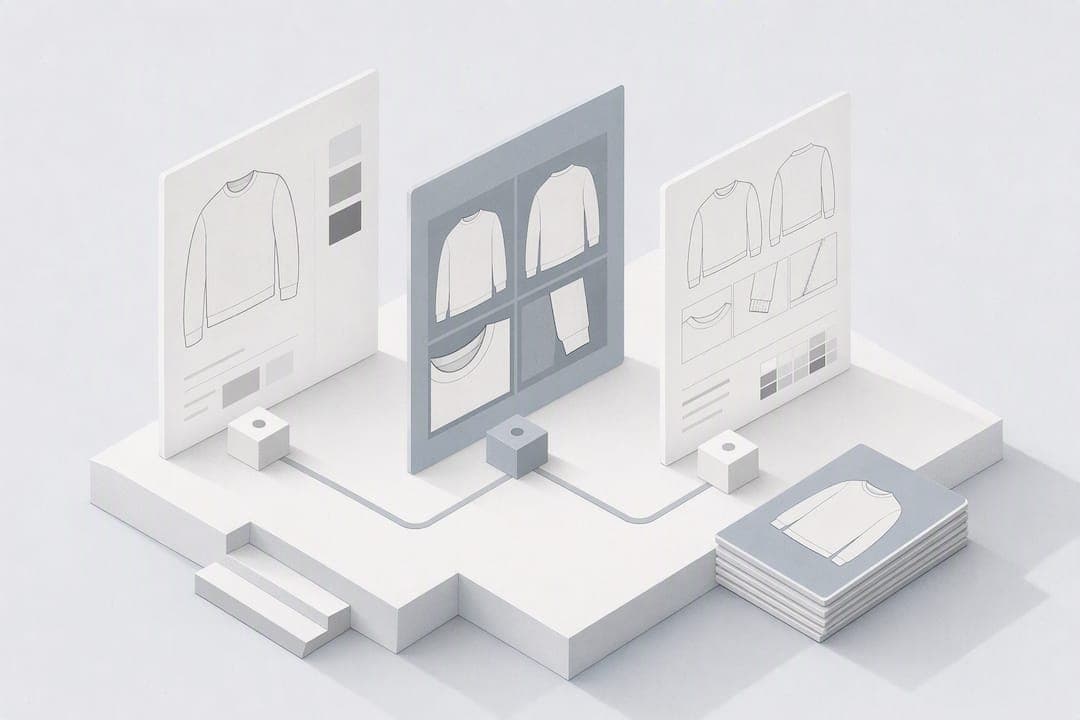
Use AI to generate and iterate on production-ready concepts: prompt or sketch for the visuals first, then push the strongest concept through fabric generation and into a manufacturer-ready tech pack. That's the shortest path from idea to factory floor. AI speeds up ideation, visualisation and early production paperwork; it doesn't replace pattern engineering or fit testing. Some platforms now cover the whole run, from a written brief to a tech pack a factory can quote against.
TL;DR:
- AI is most effective for generating volume of concept variations, such as silhouettes, colorways, and textile prints, rather than detailed fit or construction.
- Selecting the right AI tool depends on the output needed, including options for mood boards, technical flats, fabric repeats, or full tech packs, with file compatibility and ease of integration as key considerations.
- Structured prompts that specify garment type, silhouette, fabric, color, and details produce more usable results than vague requests, and consistent variable testing improves iteration efficiency.
- AI-generated tech packs require human verification for measurements, fabric behavior, and construction details, with a clear process for final approval before supplier handoff.
- Combining AI with traditional pattern and fit testing remains critical, especially for ensuring that garments fit well and match brand standards, preventing costly errors later in production.
Table of Contents
- What can AI actually do in a fashion design workflow?
- How do you choose the right AI tools for your studio?
- What prompt and sketch techniques produce usable results?
- From AI concept to manufacturer: what actually goes in the tech pack?
- A step-by-step AI design workflow you can run this week
- Can AI show your design on a model before you make it?
- Who owns an AI-generated design, and what are the copyright risks?
- How do AI tools fit alongside your existing design software?
- What are the main types of AI fashion design platforms?
- How do you keep AI designs on-brand instead of generic?
- What does successful AI-assisted design actually look like in practice?
- Getting AI adoption right in a design studio
- Turn your next concept into a tech pack with WOVA
- Sources
- FAQ
What can AI actually do in a fashion design workflow?
AI earns its place in three spots: ideation, visualisation and pattern generation. Generative image tools produce dozens of silhouette variations in the time a single hand sketch takes, which is exactly why so many studios now run early concept rounds through a model rather than a sketchbook first. That volume matters because generative AI accelerates concept exploration, turning a vague brief into a wall of visual options a designer can react to.
Where AI genuinely earns its keep:
- Photoreal concept visuals from a text prompt or rough sketch
- Rapid colourway and print variations without reshooting anything
- Lookbook and on-model imagery for pitching or pre-selling a range
- Seamless textile repeat generation at production resolution
- Early silhouette exploration before a single pattern piece is cut
Selecting a handful to develop technically is the actual skill. AI excels at volume, and the smart move is generating many variations, then choosing a small number worth taking further. Where AI still falls short: fit, drape behaviour on a real body, seam allowances, grading across sizes, and anything a pattern cutter or supplier needs to sign off on. Treat it as a creative amplifier that clears the noise out of ideation, not a replacement for the technical hands that get a garment made correctly.
How do you choose the right AI tools for your studio?
Match the tool to the output you actually need, not the one with the flashiest demo. Five categories cover most studio workflows:
- Generative image models — text-to-image for early concept boards and mood exploration
- Sketch-to-render tools — convert a rough line drawing into a photoreal or technical-flat style render
- 3D drape simulators — preview fabric behaviour and fit before cutting a physical sample
- Textile and print generators — produce seamless repeat patterns at print-ready resolution
- Tech-pack automators — turn an approved concept into technical flats, measurements and a bill of materials
Before committing budget, check four things: what file formats it exports (PNG is fine for a mood board, but you'll need vector or high-resolution files for print), whether commercial usage rights are actually included, how easily it plugs into your existing pattern or CAD software, and whether your team can use it without a two-week onboarding curve.
Pro Tip: If you're working solo or in a small studio, prioritise one tool that handles ideation-to-tech-pack in a single pass before buying separate point solutions for each stage. Fewer handoffs means fewer places for a measurement or spec to get lost between tools.
What prompt and sketch techniques produce usable results?
A vague prompt gets you a nice picture. A structured one gets you something a pattern maker can actually work from. The prompts that consistently perform read less like a wish and more like a design brief. The best AI fashion prompts name silhouette, fabric, colour palette, construction details and output type rather than leaving the model to guess.
A working template looks like this: garment type + silhouette + fabric + colour + construction detail + view + output style. Three examples to adapt:
- Concept visual: "Oversized cropped bomber jacket, boxy silhouette, matte technical nylon in olive green, ribbed cuffs and hem, front three-quarter view, studio lighting, photoreal render."
- Technical flat: "Front and back technical flat of a wrap dress, cotton poplin, V-neckline, self-tie waist, flat lay, white background, line-art style with visible seams."
- Textile repeat: "Seamless repeat floral print, 20cm scale, four-colour palette of terracotta, cream, sage and rust, tile-ready at 300dpi for digital textile printing."
The fastest way to waste a week is rewriting the whole prompt every time you want to test a variation. Lock the silhouette and camera angle, then change one variable at a time: fabric, then colour, then trim.
That single-variable discipline is what iterative prompting practitioners consistently recommend because it produces a coherent series of assets rather than ten unrelated images. If you're working from a hand sketch instead of a blank prompt, clean it up first: solid line weight, no shading confusion, and every required view (front, back, side, detail close-ups). Annotate anything a render tool won't infer on its own, such as a hidden seam, a specific closure type or a pocket placement, directly on the sketch before you feed it in.
From AI concept to manufacturer: what actually goes in the tech pack?
A factory can't quote or cut from a pretty render. It needs a defined document set, and this is the stage where most self-taught AI workflows fall apart. A tech pack that a supplier will actually accept covers:
- Technical flats (front, back, and any relevant detail views)
- Graded measurements across the full size range
- A complete bill of materials, listing every fabric, trim and hardware component
- Construction and stitch notes for every seam
- Trim and label specifications, including placement
- Approved colourways with accurate Pantone or fabric-swatch references
AI tools speed up ideation, visualisation and content production, but they don't replace fit validation and pattern engineering. That means every AI-generated tech pack still needs a human verification pass before it goes anywhere near a supplier.
| Verification stage | What it checks | Who signs off |
|---|---|---|
| Fitting sample | Real garment fit against intended body/size range | Designer + fit model |
| Fabric test | Drape, stretch and wash behaviour match spec | Designer + supplier |
| Tolerance check | Measurements fall within acceptable grading variance | Pattern maker |
| Final approval gate | All documents match the approved sample | Brand + factory |
This is exactly the gap platforms like WOVA are built to close: turning a written brief or approved concept directly into a first-draft tech pack, complete with flats, specs and a bill of materials, that a designer then checks and refines rather than building from a blank template. One draft, then human eyes on every line, cuts a lot of the back-and-forth that used to happen over email attachments.
A step-by-step AI design workflow you can run this week
Here's a workflow outlining how to take a concept from brief to supplier-ready files without skipping a verification step.
- Write the brief (30 minutes). Garment type, target customer, price point, fabric constraints and delivery deadline. Output: a one-page brief.
- Generate concept visuals (1 to 2 hours). Run 15 to 20 prompt variations using the structured template. Output: a shortlist of 3 to 5 concepts worth developing.
- Refine the chosen concept (1 hour). Lock silhouette, iterate colour and fabric one variable at a time. Output: a final approved visual.
- Generate textile assets if needed (1 hour). Produce seamless print repeats at production resolution, minimum 300dpi. Output: print-ready tiles.
- Draft the tech pack (same day). Convert the approved concept into technical flats, a bill of materials and construction notes. Output: a first-draft tech pack.
- Verify and refine (1 to 3 days). Check measurements, fabric specs and construction notes against real production constraints. Output: an approved tech pack.
- Supplier handoff. Export flats as vector or high-resolution PNG, name files consistently (style number, colourway, date), and package the bill of materials as a separate spec sheet.
Pro Tip: Before sending anything to a factory, run a pre-production checklist: are all measurements graded across the full size range, does every fabric have a supplier code, and does every trim have a placement note? Missing one of these is the single most common cause of a rejected first sample.
Can AI show your design on a model before you make it?
Yes, and this is one of the most immediately useful parts of the whole process. Virtual try-on and on-model visualisation tools take an approved flat design and render it onto a photoreal model, without a photoshoot, a physical sample, or a studio booking.
Designers can generate photorealistic on-model images and full lookbook pages without a photoshoot, which matters most for pre-sell campaigns, buyer pitches and social content that needs to exist before a single unit is cut. A small brand can put a full ten-piece capsule collection on a diverse set of virtual models in an afternoon, something that would previously have meant booking a studio, a photographer and several models for a day.
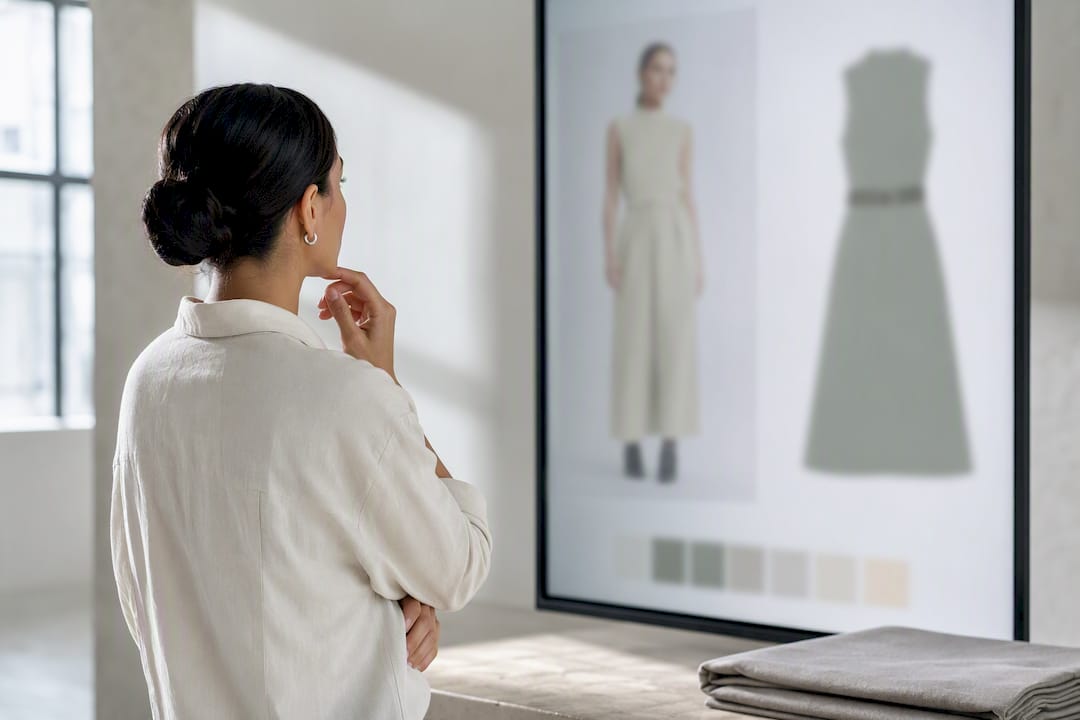
The catch is fidelity. On-model renders need checking for two things specifically: texture accuracy (does the fabric actually look like the fabric you specified, not a generic approximation) and proportion fidelity (does the garment drape the way that silhouette would on a real body, not a stylised AI guess). Run a side-by-side comparison against your technical flat before publishing any on-model image anywhere customer-facing. It's a five-minute check that saves you from a lookbook full of garments that don't match what you're actually shipping.
Use on-model visualisation for pitching, pre-selling and content, but treat the physical fitting sample as the final word on how a garment actually sits on a body.
Who owns an AI-generated design, and what are the copyright risks?
This is the part most designers skip past, and it's the part that can cost you a collection. AI image generators are trained on enormous datasets, and the legal status of outputs that closely resemble an existing designer's work, a trademarked print, or a copyrighted textile pattern remains genuinely unsettled in most jurisdictions. Ownership of AI-generated output also varies by platform terms of service, so read the licence before you commit a whole range to a single tool's outputs.
A few practical rules reduce your exposure considerably. Never prompt with a living designer's name or a specific brand's collection as a direct reference; describing a style ("1990s minimalist tailoring") is safer than naming the house that popularised it. Treat any AI-generated print or pattern as a draft, and have a textile designer adjust it enough that it's genuinely your own before it goes to print, rather than shipping the raw AI output. Keep records of your prompts and iterations, since that trail helps demonstrate the development process behind a design if ownership is ever questioned.
There's also an ethical dimension beyond the legal one. AI models trained without artist consent on scraped creative work has become a real point of tension in the fashion and illustration communities, and plenty of designers now specifically seek out tools that are transparent about training data. It's worth factoring into which platforms you build a long-term workflow around, not just which one renders fastest.
How do AI tools fit alongside your existing design software?
AI tools work best as an addition to your existing stack, not a replacement for it. Most studios still run pattern-making, grading and technical drawing through dedicated CAD software, and AI slots in at the two ends of that process: generating the initial concept before pattern work starts, and producing supporting visuals and documentation once the pattern is done.
The practical integration points are file compatibility and workflow sequencing. Export AI-generated flats as vector files where possible so they drop straight into a CAD pattern program without a redraw. Use AI-generated textile repeats as a starting layer inside your existing design software rather than a finished asset, since most print studios still want to fine-tune registration and colour separation manually before send-to-print. If your tech-pack tool exports to standard spreadsheet or PDF formats, your existing production management system should be able to ingest the bill of materials without manual re-entry.
The friction point most studios hit is treating AI as a separate silo rather than folding it into the existing pipeline. A designer who generates concepts in one tool, builds patterns in another, and manages production in a third is creating exactly the kind of handoff gaps that end-to-end platforms are designed to reduce, since fewer transfers between systems means fewer places for a measurement or spec to get corrupted along the way. Where possible, choose tools that export directly into formats your existing pattern, grading and production management software already reads.
What are the main types of AI fashion design platforms?
AI fashion tools generally split into four rough categories, each with a real trade-off.
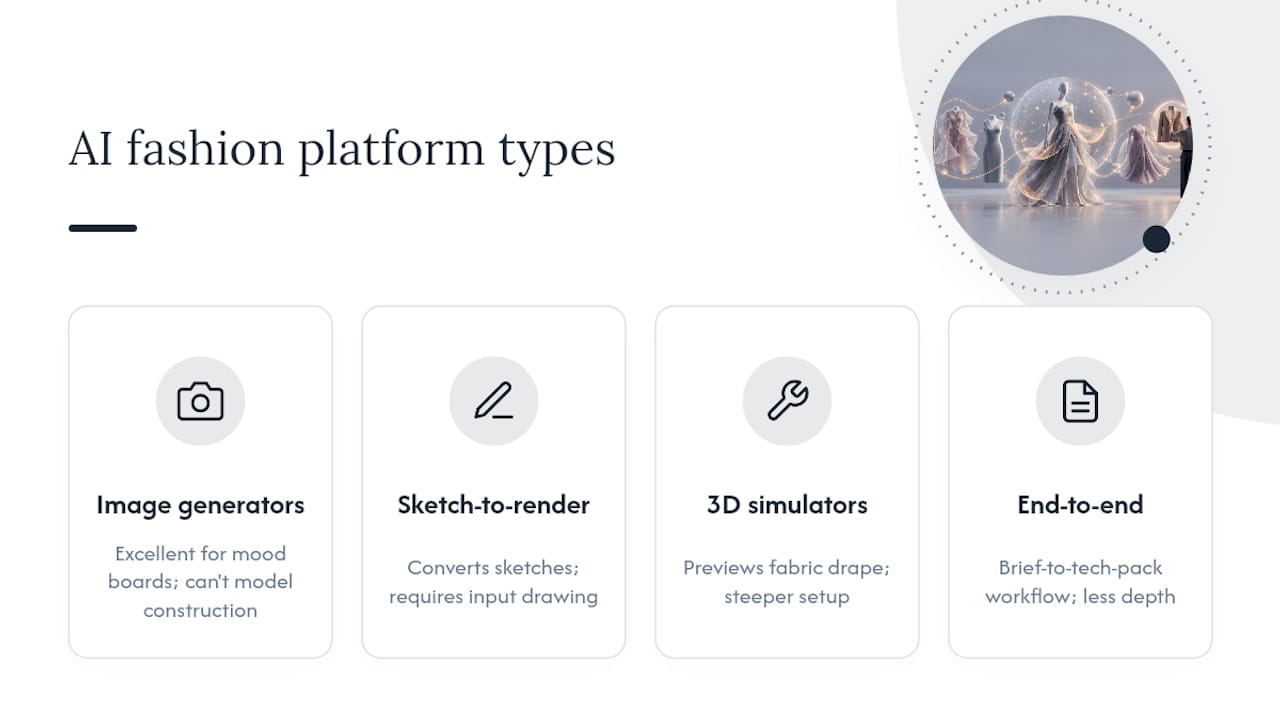
General-purpose image generators produce striking concept visuals from a text prompt and are excellent for early mood exploration. The trade-off: they have no concept of garment construction, so a render can look stunning and be structurally impossible to actually sew.
Sketch-to-render tools take a designer's own line drawing and convert it into a polished visual, keeping the designer's silhouette intent intact. They're strong for designers who already sketch but weak for anyone starting from a blank page, since they need an input drawing to work from.
3D drape and fit simulators preview how a fabric will behave on a virtual body before a physical sample exists, which is genuinely useful for reducing sample rounds. They tend to require more setup time and a steeper learning curve than a simple prompt box.
End-to-end platforms, including WOVA, cover the full run from a written brief through visuals and into a tech pack, which cuts the number of separate tools and handoffs a small team has to manage. The trade-off with any end-to-end tool is depth in any single stage compared with a specialist tool built for just that one job.
Most studios end up running a hybrid: a general image generator for mood boards, then an end-to-end or specialist tool once a concept is locked and heading towards production.
How do you keep AI designs on-brand instead of generic?
The single biggest failure mode with AI-generated fashion concepts is genericness. Left unguided, most models default towards whatever's statistically common in their training data, which tends to produce competent but forgettable results. Fixing this is less about a better prompt and more about a disciplined process.
Build a reference set first. Feed the tool three to five images of your own past collections, or a tightly curated mood board, before generating anything new, so the output has something specific to anchor to rather than drifting towards generic trend imagery. Lock your non-negotiables into every prompt: if your brand always uses a specific silhouette proportion, seam placement or trim style, name it explicitly every time rather than assuming the tool remembers from a previous session, because it doesn't.
Run a brand audit on every shortlist before development, not just the final pick. Put three AI concepts next to three pieces from your last two collections and ask honestly whether a customer would recognise all six as coming from the same brand. If the answer's no, the issue is almost always a missing construction detail or colour discipline in the prompt, not a limitation of the tool itself.
Treat AI-generated colour and print variations as a starting point for your design team to adjust, never a finished asset to ship straight to print. That's the point at which a distinctive collection tends to separate itself from a generic one: the human refinement pass after the AI-generated draft, not the draft itself.
What does successful AI-assisted design actually look like in practice?
The most credible examples of AI-assisted fashion right now sit at two ends of the scale, and both point to the same lesson: AI does the volume work, humans do the judgment work.
At the small-brand end, independent designers and startups use AI-generated concept visuals and on-model imagery to build and pitch entire capsule collections before committing to a single physical sample, cutting the cost of testing a new direction dramatically compared with commissioning sketches and sample garments for every idea. That's the practical value proposition for a solo designer or a two-person studio: testing ten directions costs roughly the same as testing one used to.
At the platform end, tools that combine ideation, visualisation and production output let brands build entire collections and catalogue imagery without a traditional photoshoot, compressing a process that used to take weeks of studio bookings into days. The pattern across every credible case is the same: AI compresses the exploration and visualisation phases from weeks to hours, while the technical and fit work still runs on its normal timeline. Brands that have tried to compress that stage too, skipping fit samples because the render looked finished, are the ones that end up with returns problems once real garments ship.
Getting AI adoption right in a design studio
Studios that get the most from AI treat it as a fast first draft, not a finished decision. The biggest mistake we see is skipping fit and supplier checks because a render looked convincing. It didn't account for drape, tolerance, or what your factory can actually source.
Bring your team in gradually: let designers use AI for concept volume first, then extend to tech-pack drafting once they trust the outputs. Cross-check every AI-generated spec against a supplier's real capabilities before it goes anywhere near a sample room.
— WOVA Editorial Team
Turn your next concept into a tech pack with WOVA
WOVA is the fastest route from a written idea to a manufacturer-ready tech pack, without the weeks a traditional design-to-production process usually takes. Describe a garment idea in a few sentences and WOVA turns it into a complete concept, professional sketches and a detailed tech pack covering specifications, technical flats, fabric and construction details ready to send to a factory.
That matters most for the exact bottleneck this article has been walking through: the gap between an approved concept and a document a supplier will actually quote against. Instead of juggling a separate image generator, a pattern tool and a spreadsheet for your bill of materials, WOVA handles idea, visual and tech pack in one pass, which a designer then checks and refines rather than builds from scratch. Pricing details aren't published. Current plans are available on the WOVA site. If you've got a concept sitting in a notes app right now, that's the one to test the workflow on first.
Sources
A few sources worth bookmarking if you want to go deeper on any single stage of the workflow covered above:
- AI Fashion Design Guide Free 2026 | ZSky AI
- AI Fashion Prompts: 15 Best Examples & Pro Tips for Designers
FAQ
How can I use AI to style my clothes?
AI styling tools work best when you describe the occasion, existing wardrobe pieces and desired mood, letting the model suggest combinations or new pieces that fit. For design rather than personal styling, the same principle applies: feed the model a clear brief covering silhouette, fabric and colour rather than a vague request, since structured prompts consistently outperform loose ones.
Can ChatGPT design clothes?
ChatGPT can help write structured design briefs, generate prompt text for image tools, and draft construction or fabric notes, but it doesn't generate visual garment renders itself. For the actual visual concept, silhouette and textile output, you need a dedicated image or fashion design platform alongside it.
What's the best AI for designing clothes?
There's no single best tool. It depends on whether you need concept visuals, sketch-to-render conversion, textile generation or a manufacturer-ready tech pack. Platforms like WOVA cover the full run from idea to tech pack in one workflow, which suits designers who want fewer handoffs between concept and production paperwork.
How do I make an AI model image for clothes?
Generate or upload your approved garment flat, then use a virtual try-on or on-model visualisation tool to render it onto a photoreal model without a physical photoshoot. Always check the render against your technical flat for texture and proportion accuracy, since on-model AI images still need a fidelity check before they go anywhere customer-facing.