
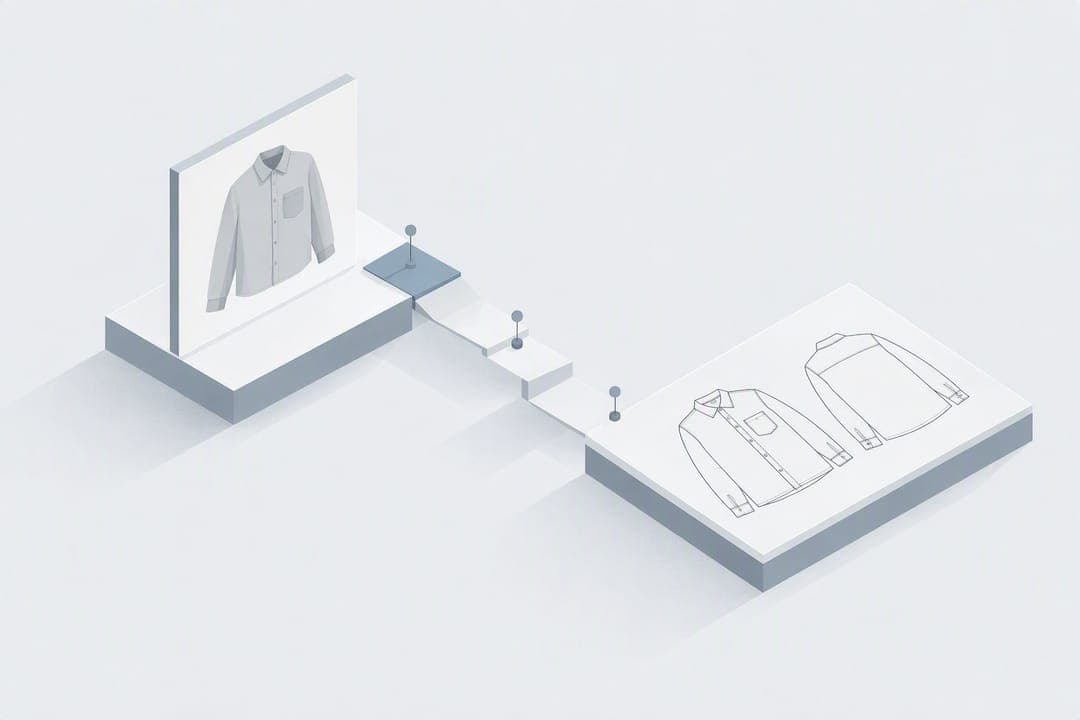
Yes — AI can convert a garment photo into a clean technical flat that's ready for editing and rapid integration into a tech pack, provided you follow a few capture and checking steps. Outputs typically download as PNG and SVG, and the vector files open cleanly in Illustrator for line-by-line edits. For anything heading to a factory floor, pair the AI flat with a quick measurement and spec verification before it ships.
TL;DR:
- Flat-lay garment photos on a neutral, high-contrast background with even lighting produce the most accurate AI-generated lines and outlines.
- Exported SVG files retain full editability for adjustments in line position, measurements, and construction notes, unlike PNG images.
- AI flats typically capture seams, pockets, darts, and proportions but struggle with precise seam allowances, notches, grainlines, or grading measurements.
- Repeated passes with refined images or prompts improve accuracy, especially when targeting specific details like zippers or pocket flaps.
- Use AI flats for early-stage design iterations and quick visualizations, but verify measurements and add detailed specifications before sending to manufacturing.
Table of Contents
- How does AI technical flat generation actually work?
- What makes a garment photo work well for AI technical flats?
- What details do AI flats include, and what still needs checking?
- How does WOVA turn a flat into a full tech pack?
- What AI models power technical flat generation?
- Can AI accurately capture fabric texture and colour?
- AI-generated flats versus traditional hand-drawn flats
- How do you fit AI flats into an existing design workflow?
- How do you get better results with repeated passes?
- Where AI flats speed things up, and where they don't
- Try WOVA to go from photo to finished tech pack
- Sources
- FAQ
How does AI technical flat generation actually work?
The process behind AI technical flats follows a predictable three-step arc, and understanding each stage tells you exactly where errors creep in.
- Upload. You feed the tool a garment image, either a flat-lay shot or a photo on a model or mannequin. Flat-lay images consistently produce cleaner line output because the AI isn't guessing at drape, fabric fold, or body distortion. Model shots work, but expect more correction on side seams and hemlines.
- Processing. The AI scans the image and maps visible construction elements, seams, closures, topstitching, pocket placement, and trim positions, into vector line work. This is where AI-enabled flats differ from a simple photo trace: the software is identifying garment structure, not just outlining silhouette.
- Export and edit. Once processing finishes, you get a downloadable file. SVG export matters here because vector paths stay fully editable, unlike a flattened PNG. Open the SVG in Illustrator, adjust any misread lines, add measurement callouts along seams and hems, then export the finished asset straight into your tech pack layout.
Some platforms in the image-to-vector space apply this same photo-to-vector logic outside fashion, converting photos into editable line diagrams that designers then refine by hand. The principle carries over directly: AI gets you 70 to 80 percent of the way there on clean garments, and the vector format is what makes the remaining edits fast rather than a redraw from scratch.
What makes a garment photo work well for AI technical flats?
Capture quality decides more of your output accuracy than the AI model itself. Get the photo wrong and even the best technical AI apartments... sorry, technical flat tools will guess at details they can't see clearly.
- Shoot flat-lay when possible. Lay the garment fully open on a flat surface so every seam and edge is visible in one frame.
- Use even, natural lighting. Harsh directional light throws shadows that the AI can mistake for seam lines or fabric creases.
- Smooth out wrinkles first. A crumpled sleeve reads as a design detail to software that has no way of knowing it's just fabric bunching.
- Choose a neutral, high-contrast background. Plain white or grey lets the AI separate garment edges from background clutter instantly.
- Shoot square to the garment. Angling the camera distorts proportions, which throws off scale even before measurements enter the picture.
- Capture multiple views. Front, back, and tight close-ups on pockets, labels, and trim details give the AI reference points it otherwise has to invent. Design tools across categories consistently recommend uploading several angles rather than a single shot, because construction detail rarely lives in one frame.
- Use prompt fields if the tool offers them. Typing "topstitched double seam, hidden zip, welt pockets" alongside your image gives the model text cues that pure image analysis can miss.
Pro Tip: Photograph your garment against the same background and lighting setup every time. Consistency across uploads makes it far easier to spot which errors come from the AI and which come from your photography, so you fix the right thing.
What details do AI flats include, and what still needs checking?
A well-generated flat sketch will usually capture seam lines, pocket outlines, dart placement, topstitching, zips, buttons, and general garment proportion. What it typically won't capture reliably: exact seam allowances, grainline direction, notches, and precise graded measurements across sizes. These are structural details an AI reading a 2D image simply can't infer with certainty, and they're exactly what a cutting room needs.
File format choice matters more than most designers assume. PNG is fine for a quick visual reference, a moodboard slide, or a first client sign-off. It's not editable at the line level. SVG is the format that actually matters for production work: because it's vector-based, you can select individual lines, nudge a seam, resize a collar, or rebuild a pocket without redrawing the whole flat. That's the difference between a picture of a technical flat and an editable technical flat.
Before anything goes to a supplier, run this checklist:
- Add graded measurements at chest, waist, hem, and sleeve length.
- Mark seam allowances explicitly, since AI output rarely includes them.
- Attach fabric composition, weight, and trim specifications as a separate spec sheet.
- Confirm key dimensions against a physical sample or first-pattern muslin.
- Check closures and hardware placement against your actual sourced trims, not generic AI defaults.
Skip that checklist and you're sending a pretty picture to a factory that needs a working document.
How does WOVA turn a flat into a full tech pack?
Getting a clean flat is only half the job. WOVA is an AI-powered fashion design platform built to carry that flat sketch the rest of the way, generating professional sketches and manufacturer-ready tech packs from the same set of inputs designers already have on hand.
Treat AI output as final when the garment is simple, symmetrical, and the photo capture was clean, think basic tees, straightforward trousers, uncomplicated dresses. Route anything with complex draping, asymmetric construction, or performance fabric requirements to a tech designer for a manual measurement pass first.
A workable next step once you have a flat you trust:
- Export the SVG and open it for a final line check.
- Add measurement callouts and construction notes directly on the vector.
- Attach fabric and trim specifications as supporting documentation.
- Run one dimension check against a sample before the file leaves your hands.
What AI models power technical flat generation?
Most tools in this space rely on computer vision models trained to recognise garment structure, edge detection algorithms that isolate seams and outlines, and generative or vector-conversion layers that turn raster pixels into clean line paths. The underlying architecture typically combines image segmentation, which separates a garment from its background and identifies component parts, with line-tracing algorithms that convert those segments into vector strokes.
Some platforms lean on diffusion-based models for the initial visual interpretation, then hand off to a separate vectorisation engine for the export stage. Others train more narrowly on garment-specific datasets, which tends to produce sharper results on seam and closure recognition because the model has seen thousands of examples of what a welt pocket or a set-in sleeve actually looks like, rather than generalising from broader image datasets.
This two-stage approach, interpret then vectorise, is why SVG export quality varies so much between tools. A model that's strong on visual recognition but weak on vector conversion will give you a flat that looks accurate on screen but frustrates you the moment you try to edit a line in Illustrator. The engineering effort behind production-grade AI systems in this category tends to happen in focused technical environments rather than as an afterthought bolted onto a broader design tool, which is part of why specialised AI engineering residencies exist specifically to push tooling past API-level integration and into genuinely production-grade output.
Can AI accurately capture fabric texture and colour?
This is where AI technical flats hit a hard limit worth knowing about upfront. Technical flats are line drawings, not texture renders, so most tools deliberately strip fabric texture out entirely in favour of clean construction lines. That's usually correct behaviour for a flat sketch, but it means you cannot rely on the AI output to communicate fabric hand, weight, or surface finish to a manufacturer.
Colour accuracy carries its own problem. Camera white balance, screen calibration, and ambient lighting all shift how a colour reads in a photo, and the AI has no way to correct for conditions it wasn't told about. A navy that looks slightly grey under warm indoor lighting can render inconsistently between your upload and the flat output, and Pantone-level colour matching simply isn't something image-based AI can deliver.
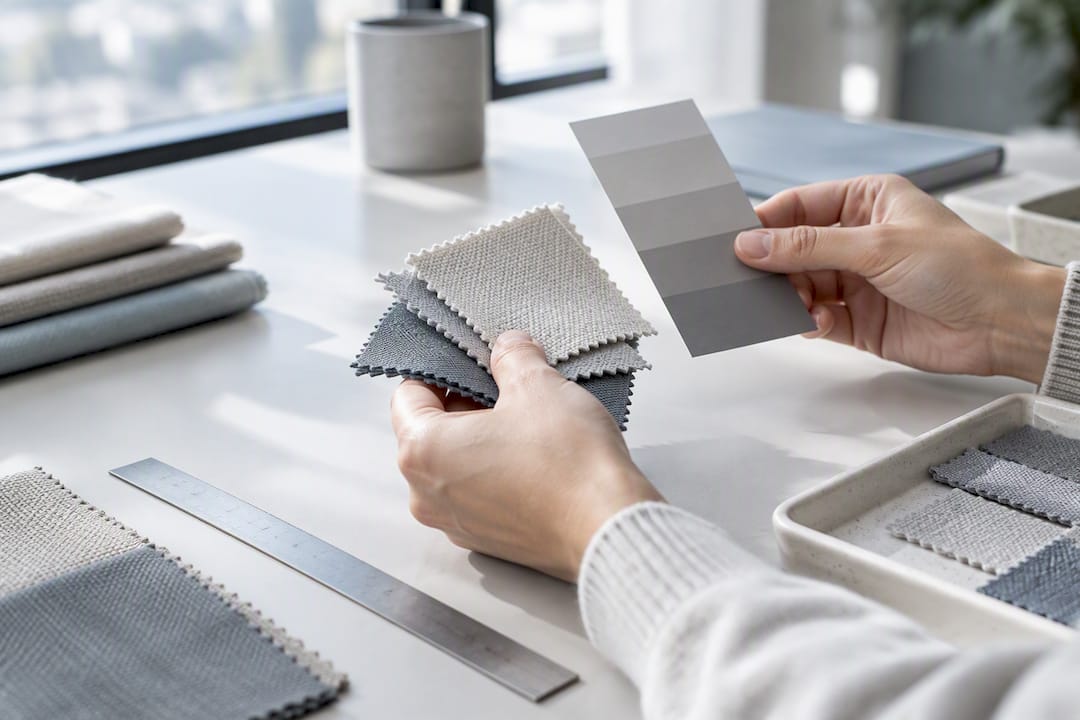
The practical fix is straightforward: use the AI flat for construction and line accuracy, then handle colour and fabric separately through a proper Pantone reference or physical swatch attached to your tech pack. Never let a screen-rendered colour stand in for an approved colour standard when you're placing a production order. Treat texture and colourway as a distinct spec sheet, not something you expect the flat sketch to carry.
AI-generated flats versus traditional hand-drawn flats
The comparison isn't really AI versus human skill, it's speed versus depth, and each wins on different jobs.
A traditional hand-drawn flat, built in Illustrator from scratch or traced over a scanned sketch, takes anywhere from thirty minutes to several hours depending on garment complexity. It's precise because every line is a deliberate decision, and an experienced technical designer builds in seam allowances, notches, and grainline as a matter of habit. The tradeoff is time: if you're iterating through a dozen silhouette variations before a design review, hand-drawing each one is a genuine bottleneck.
An AI-generated flat compresses that timeline to minutes. You upload a photo and get a workable line drawing back almost immediately, which is transformative for early-stage sampling, quick client mockups, and situations where you need to visualise ten variations before committing resources to one. The cost is precision on the details AI structurally can't see, seam allowances, exact grading, grainline, which means the AI flat needs a verification pass that a hand-drawn flat, built correctly the first time, doesn't.
Neither approach is strictly better across the board. Complex tailoring, couture construction, and technical performance wear with engineered seaming still lean toward manual flats built by someone who understands pattern engineering. Simpler garments, fast iteration cycles, and early development stages are where AI technical flats earn their keep.
How do you fit AI flats into an existing design workflow?
The mistake most teams make is treating AI flat generation as a replacement for their existing process rather than a front-loading tool for it. The better approach slots AI in at the stage where it saves the most time and steps back out where human judgement matters more.
Use AI-generated flats at the concept and early sampling stage, when you're testing silhouette variations, building a first-round moodboard for buyers, or need something to show a manufacturer before committing to a full tech pack. This is where speed matters more than perfect precision, and where a same-day turnaround beats a technically flawless flat delivered three days later.
Route the AI flat to a technical designer once a silhouette is approved and heading toward production. That's the point where seam allowances, grading across a size range, and construction notes need a trained eye, not because AI got the concept wrong, but because production tolerances are unforgiving in ways that early-stage samples aren't.
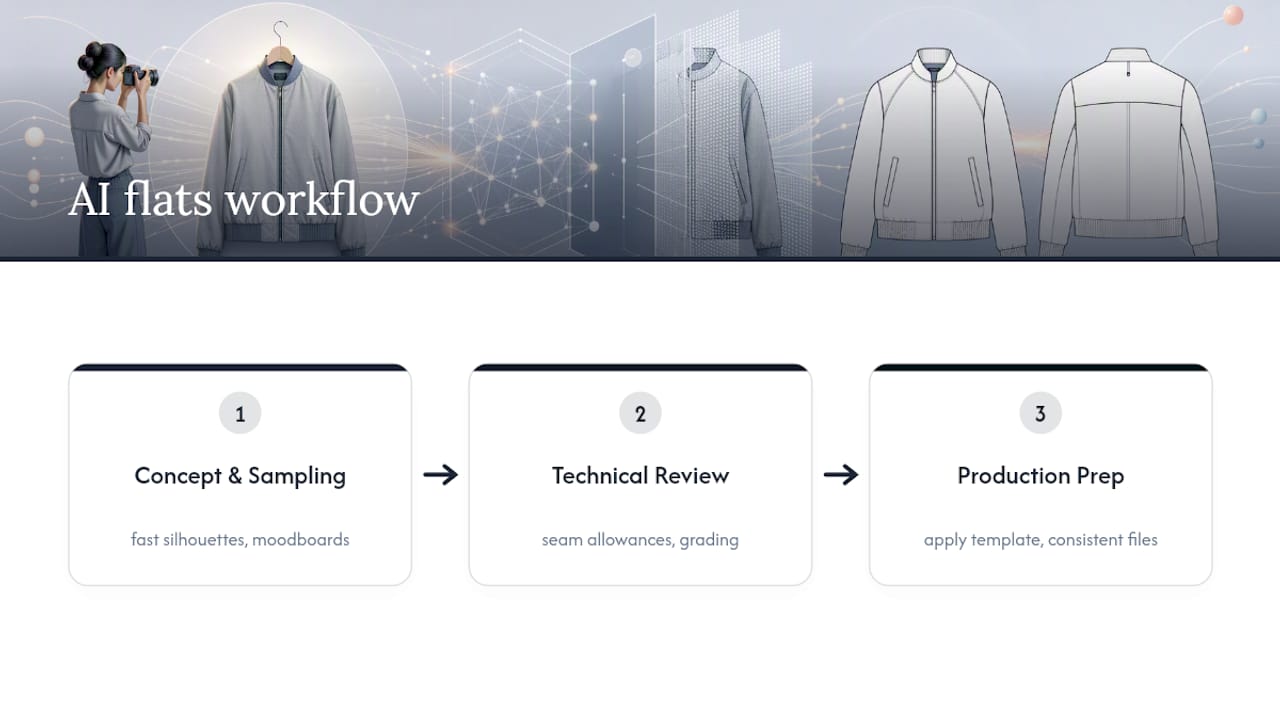
Keep your file structure consistent regardless of where a flat originated. If your tech pack template expects seam allowance callouts in a specific position or a particular layer naming convention in Illustrator, apply that same structure to AI-exported SVGs before they enter your production folder. Consistency here saves far more time than the generation step itself.
How do you get better results with repeated passes?
Treat your first AI-generated flat as a draft, not a final answer, and the quality gap closes fast with a couple of iterations. Most accuracy problems trace back to input quality, so before you regenerate anything, check whether the issue is the photo or the model.
If a detail was missed, upload a tighter close-up of just that area, a zip pull, a pocket flap, a topstitch line, rather than re-uploading the same full-garment shot and hoping for a different result. Detail-specific images consistently improve recognition of the exact feature you're trying to capture, the same principle that drives multi-view upload recommendations across AI design tools generally.
If the tool accepts text prompts alongside the image, use precise garment vocabulary rather than vague description. "Princess seams" and "raglan sleeve" give the model something specific to match against; "fitted top with detail on the arm" gives it almost nothing.
Run two or three passes before you assume the AI simply can't handle a garment. Small adjustments, a cleaner photo angle, an added close-up, a more specific prompt, often resolve what looks like a model limitation but is actually an input problem.
Where AI flats speed things up, and where they don't
AI technical flats earn their place in rapid iteration, early sampling, and small-batch development, where speed beats perfection and you're testing ideas rather than locking specs. Complex pattern engineering, couture work, and technical performance gear with engineered seaming still need a trained technical designer's hand.
The workflow that actually holds up in practice is hybrid: let AI handle the first pass, make targeted manual edits where construction detail matters, then run a measurement verification against a physical sample before anything reaches a factory. Skip the verification step and you're gambling with production time, not saving it.
— WOVA Editorial Team
Try WOVA to go from photo to finished tech pack
This platform takes the flat-generation step further by turning that same garment concept into a complete, manufacturer-ready tech pack, sketches, construction details, fabric and trim specs, all from one platform rather than stitching together separate tools for each stage.
If you're currently exporting a flat from one tool, then manually building spec sheets in another, that's exactly the gap WOVA closes: describe the garment or upload a reference image, and the platform carries it through to a production-ready tech pack without the handoff between disconnected software. Try the demo on a garment you're currently developing, export the SVG, and compare how much editing you actually need to do in Illustrator versus starting from a blank page. For most simple to moderately complex garments, that comparison alone tells you whether it belongs in your workflow.
FAQ
Are AI technical flats accurate enough for production?
They're accurate enough for construction lines, seam placement, and general proportion, but not for exact seam allowances or graded measurements. Run a measurement verification against a physical sample before sending any AI flat to a factory.
What file formats do AI flats come in?
Most tools export as PNG for quick visual reference and SVG for editable vector work. SVG is the format you want for production, since it opens directly in Illustrator for line-level edits.
Can I edit an AI-generated flat in Illustrator?
Yes, provided you export it as SVG rather than PNG. Vector paths stay fully editable, so you can adjust seams, resize elements, and add measurement callouts without redrawing the flat from scratch.
Does WOVA generate technical flats and tech packs?
Yes. WOVA generates professional sketches alongside manufacturer-ready tech packs from a single garment concept, covering design, construction, and fabric specifications in one workflow.
What photo type gives the best AI flat results?
Flat-lay shots on a neutral background with even lighting consistently outperform model or mannequin photos. Add front, back, and close-up shots of pockets, trims, and labels for the most complete result.